
codex-subscription-router
No description available.
파일 탐색기
- ci.yml
- release.yml
- dependabot.yml
- pull_request_template.md
- main.go
- main_test.go
- ARCHITECTURE.md
- COMPATIBILITY.md
- E2E-REPORT-0.1.0.md
- RELEASING.md
- SECURITY-MODEL.md
- SMOKE-TEST.md
- child.go
- server.go
- accounts.go
- accounts_test.go
- combined_profile.go
- combined_profile_test.go
- mux.go
- profile.go
- profile_test.go
- rate_limit_preview.go
- rate_limit_preview_test.go
- rate_limit_resets.go
- rate_limit_resets_test.go
- routing_test.go
- scoped_request.go
- scoped_request_test.go
- thread_list.go
- message.go
- config.go
- store.go
- store_test.go
- launcher.c
- account-menu.png
- combined-profile-20px.png
- plugin-account-picker-primary-final.png
- plugin-account-picker-secondary-final.png
- quota-all-depleted.png
- rate-limit-reset-accounts.png
- check_release.py
- patch_app.py
- account-menu.js
- thread-subscription.js
- ui-test-bridge.cjs
- .editorconfig
- .gitattributes
- .gitignore
- .npmrc
- CHANGELOG.md
- CONTRIBUTING.md
- go.mod
- install.sh
- LICENSE
- NOTICE.md
- package-lock.json
- package.json
- README.md
- SECURITY.md
- VERSION
# CDN으로 사용하기
jsDelivrjsDelivr는 공개 GitHub 리포지토리를 별도 설정 없이 CDN으로 즉시 서빙합니다. 버전과 파일을 고르면 웹페이지에 바로 붙일 수 있는 링크와 예시 코드가 만들어집니다.
명령어 용어집
이 문서에서 사용된 명령어를 모아봤습니다. 낯선 명령어가 있다면 펼쳐서 확인해보세요.
git clone
설명 보기 ▼
git clone
Clone an existing repository.
git clone {{remote_repository_location}} {{path/to/directory}}
Clone an existing repository into a new directory (the default directory is the repository name):
git clone --recursive {{remote_repository_location}}
Clone an existing repository and its submodules:
git clone {{[-n|--no-checkout]}} {{remote_repository_location}}
Clone only the `.git` directory of an existing repository:
npm ci
설명 보기 ▼
npm ci
Clean install of `npm` project dependencies for automated environments.
Installs packages based on `package-lock.json` or `npm-shrinkwrap.json`.
npm ci
Install project dependencies from `package-lock.json` or `npm-shrinkwrap.json`:
npm ci --omit {{dev|optional|peer}}
Install project dependencies but skip the specified dependency type:
npm ci --ignore-scripts
Install project dependencies without running any pre-/post-scripts defined in `package.json`:
npm run
설명 보기 ▼
npm run
Run a script.
npm run
List available scripts:
npm run {{script_name}}
Run a script:
npm run {{script_name}} -- {{argument}} {{--option}}
Pass arguments to a script:
python3
설명 보기 ▼
python3
이 명령은 `python`의 별칭입니다.
tldr python
자세한 내용은 원본 명령을 참고하세요:
# 프로젝트 배지
-
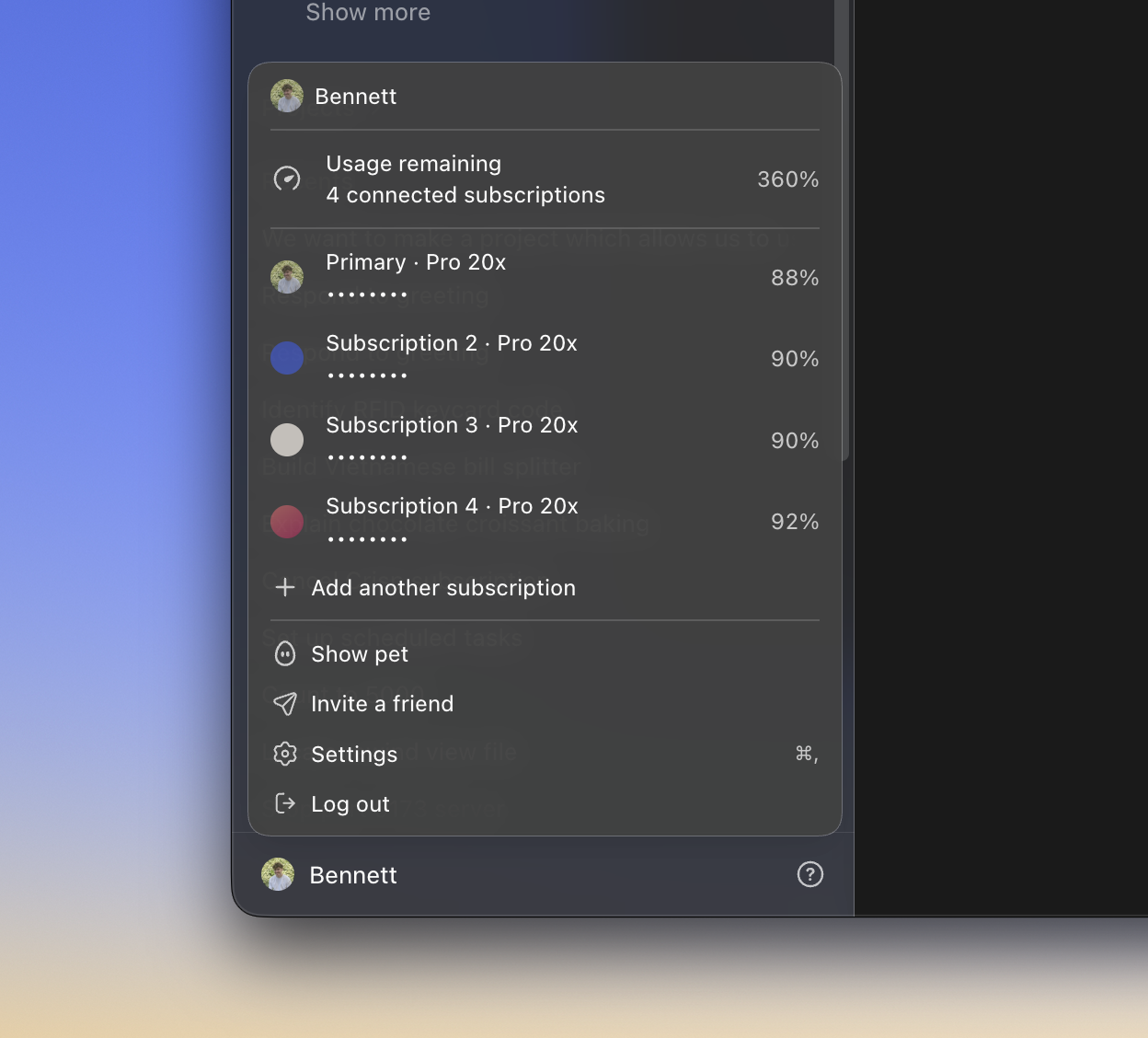 Multi-subscription account menu