
PrintLayout
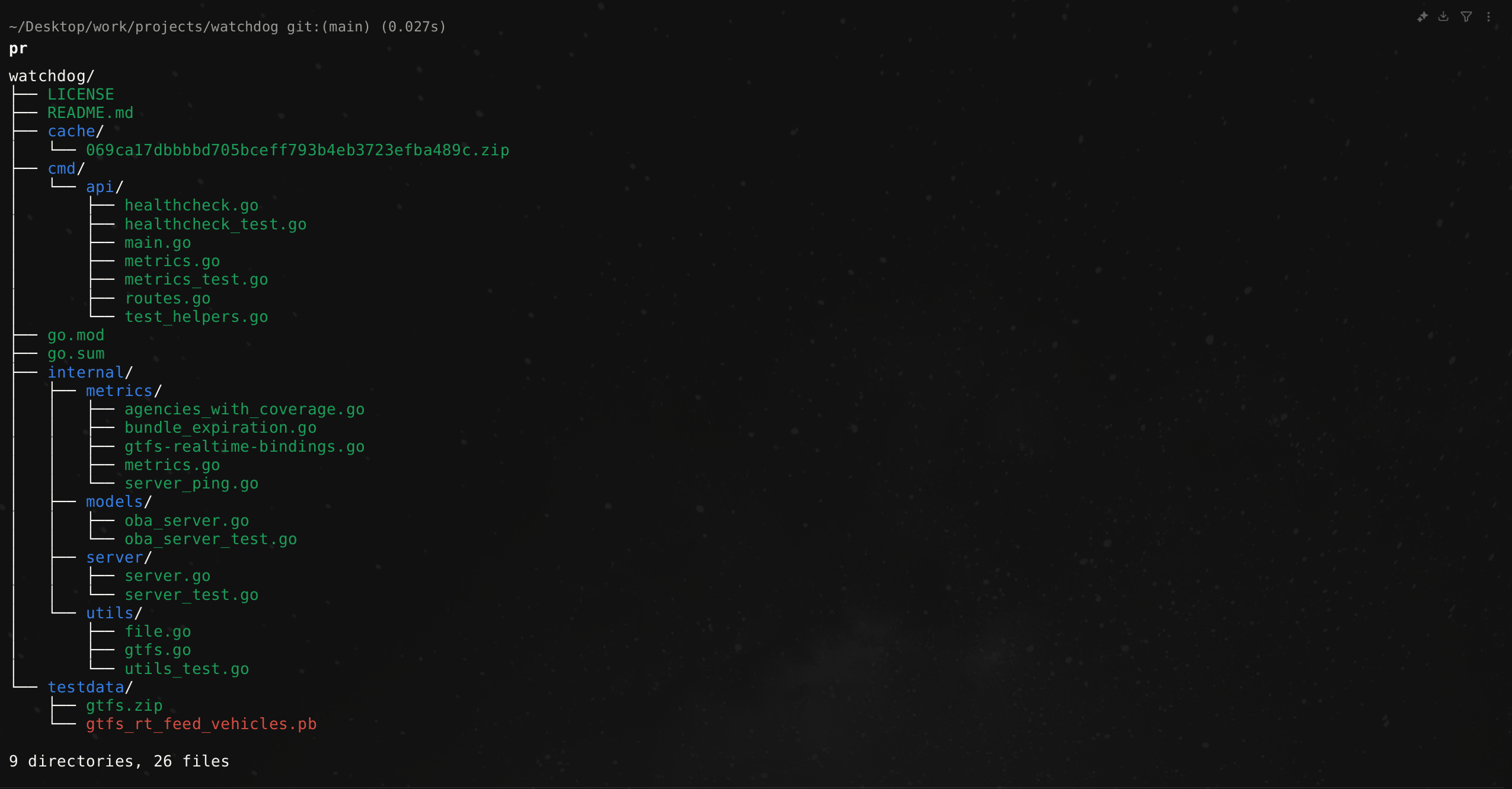
PrintLayout: A lightweight Go tool to visualize project directory structures in a clean, tree-like format. Perfect for exploring codebases, documenting projects, or understanding file organization at a glance. Simple, customizable, and developer-friendly.
파일 탐색기
- ci.yml
- release.yml
- image.png
- main.go
- utils.go
- printer.go
- printer_bench_test.go
- printer_test.go
- build.sh
- .gitignore
- go.mod
- go.sum
- LICENSE
- README.md
# CDN으로 사용하기
jsDelivrjsDelivr는 공개 GitHub 리포지토리를 별도 설정 없이 CDN으로 즉시 서빙합니다. 버전과 파일을 고르면 웹페이지에 바로 붙일 수 있는 링크와 예시 코드가 만들어집니다.
명령어 용어집
이 문서에서 사용된 명령어를 모아봤습니다. 낯선 명령어가 있다면 펼쳐서 확인해보세요.
black
설명 보기 ▼
black
Python 자동 코드 formatter.
관련 항목: `ruff`.
더 많은 정보: <https://black.readthedocs.io/en/stable/usage_and_configuration/the_basics.html>.
black {{path/to/file_or_directory}}
파일 또는 전체 디렉토리의 자동 포맷:
black {{[-c|--code]}} "{{code}}"
전달된 코드를 문자열로 포맷:
black --check {{path/to/file_or_directory}}
파일을 다시 쓰지 않고 상태 반환:
go build
설명 보기 ▼
go build
Compile Go sources.
go build {{path/to/main.go}}
Compile a 'package main' file (output will be the filename without extension):
go build -o {{path/to/binary}} {{path/to/source.go}}
Compile, specifying the output filename:
go build -o {{path/to/binary}} {{path/to/package}}
Compile a package:
go run
설명 보기 ▼
go run
Compile and run Go code without saving a binary.
go run {{path/to/file.go}}
Run a Go file:
go run {{path/to/package}}
Run a main Go package:
go test
설명 보기 ▼
go test
Test Go packages (files have to end with `_test.go`).
Note: `./...` is a Go package pattern understood by Go tooling. It matches the current package and all packages recursively under the current directory.
go test
Test the package found in the current directory:
go test -v
[v]erbosely test the package in the current directory:
go test -v ./...
Test the packages in the current directory and all subdirectories:
time
설명 보기 ▼
time
명령어 실행 시간을 측정.
참고: `time`은 셸 내장 명령어이거나 독립 실행형 프로그램이거나 둘 다일 수 있습니다.
관련 항목: `times`.
더 많은 정보: <https://manned.org/time>.
time {{command}}
`command`를 실행하고 시간 측정 결과를 `stdout`에 출력:
time
현재 시스템 시간 표시 및 새 시간 입력 요청 (비워두면 변경되지 않음):
time read
매우 간단한 스톱워치 생성 (Bash에서만 작동):
xml
설명 보기 ▼
xml
XMLStarlet 도구 모음: XML 문서를 쿼리, 편집, 검사, 변환 및 변형.
`validate`와 같은 일부 하위 명령에는 자체 사용 설명서가 있습니다.
더 많은 정보: <https://xmlstar.sourceforge.net/doc/UG/xmlstarlet-ug.html#idm47077139670224>.
xml --help
하위 명령 목록을 포함한 일반 도움말 표시:
xml {{subcommand}} {{options}} {{path/to/input.xml|uri}}
파일 또는 URI에서 입력을 받아 `stdout`에 출력하여 하위 명령 실행:
xml {{subcommand}} {{options}}
`stdin`과 `stdout`을 사용하여 하위 명령 실행:
size
설명 보기 ▼
size
바이너리 파일 내부 섹션의 크기를 표시합니다.
더 많은 정보: <https://sourceware.org/binutils/docs/binutils/size.html>.
size {{path/to/file}}
주어진 오브젝트 또는 실행 파일의 섹션 크기 표시:
size {{[-o|--radix=8]}} {{path/to/file}}
주어진 오브젝트 또는 실행 파일의 섹션 크기를 [o]팔진수로 표시:
size {{[-d|--radix=10]}} {{path/to/file}}
주어진 오브젝트 또는 실행 파일의 섹션 크기를 [d]십진수로 표시:
# 프로젝트 배지
-
 PrintLayout Logo