
plandeck
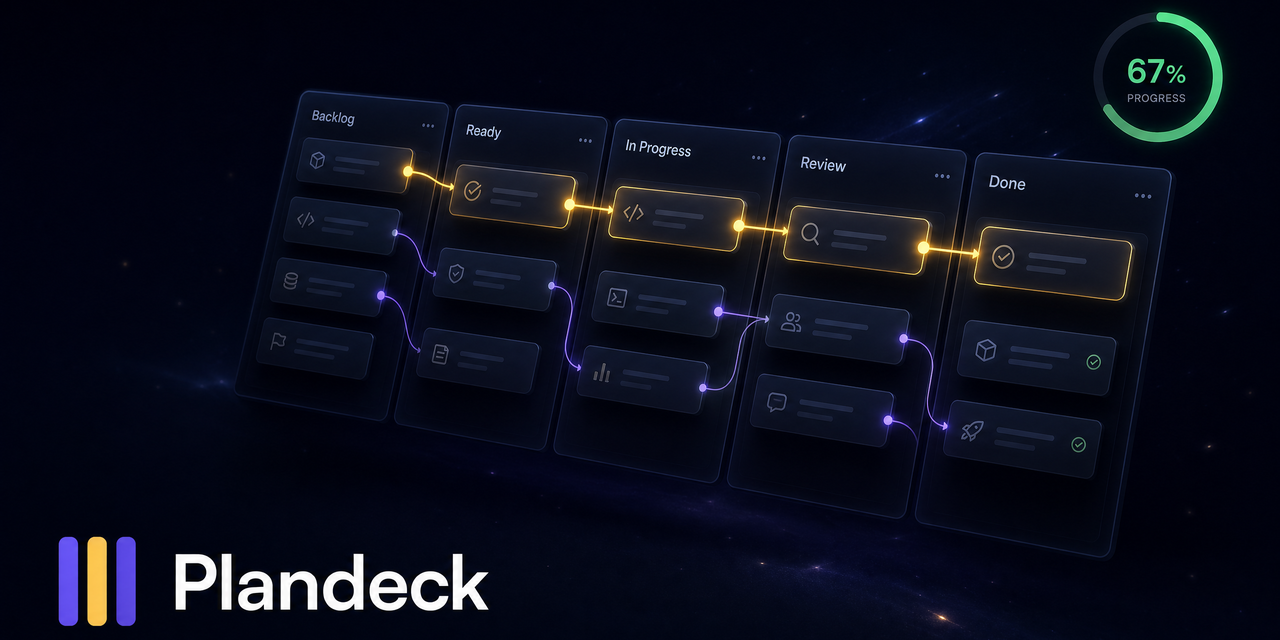
The visual Kanban for long-running AI agents. Watch your agent's plan organize itself: dependencies unlock into Ready, the critical path lights up, the one next move is obvious. Nobody wants to read a markdown plan.
File Explorer
- agent_compatibility.md
- bug_report.md
- test.yml
- PULL_REQUEST_TEMPLATE.md
- judge.md
- pm.md
- scout.md
- worker.md
- C001-onboarding-map.md
- plan.md
- plan.yaml
- README.md
- banner.png
- board-preview.html
- board.png
- plandeck-mark.svg
- continuity.mjs
- deck.mjs
- intelligence.mjs
- journal.mjs
- render.mjs
- snapshot.mjs
- board.mjs
- check-plan.mjs
- cli.mjs
- doctor.mjs
- screenshot.mjs
- card.md
- plan.md
- plan.yaml
- all.test.mjs
- deck.test.mjs
- doctor.test.mjs
- journal.test.mjs
- .gitattributes
- .gitignore
- .npmignore
- CHANGELOG.md
- CONTRIBUTING.md
- LICENSE
- NOTICE
- package.json
- README.md
- SKILL.md
# Use via CDN
jsDelivrjsDelivr serves any public GitHub repository as a CDN with zero setup. Pick a version and a file to get a ready-to-paste link and snippet.
Command Glossary
Commands referenced in this DOCs, explained below.
done
View Details ▼
done
This shell keyword is used with `for`, `while`, `select`, and `until` to mark the end of a loop.
tldr for
View documentation for the `for` keyword:
tldr while
View documentation for the `while` keyword:
tldr select
View documentation for the `select` keyword:
next
View Details ▼
next
React framework that uses server-side rendering for building optimized web applications.
next dev
Start the current application in development mode:
next dev {{[-p|--port]}} {{port}}
Start the current application and listen on a specific port:
next build
Build the current application optimized for production:
node
View Details ▼
node
Server-side JavaScript platform (Node.js).
node {{path/to/file}}
Run a JavaScript file:
node
Start a REPL (interactive shell):
node --watch {{path/to/file}}
Execute the specified file restarting the process when an imported file is changed (requires Node.js version 18.11+):
npm install
View Details ▼
npm install
Install Node packages.
npm {{[i|install]}}
Install dependencies listed in `package.json`:
npm {{[i|install]}} {{package_name}}@{{version}}
Download a specific version of a package and add it to the list of dependencies in `package.json`:
npm {{[i|install]}} {{package_name}} {{[-D|--save-dev]}}
Download the latest version of a package and add it to the list of dev dependencies in `package.json`:
npm link
View Details ▼
npm link
Symlink a local package into the global `node_modules` or another project for development.
npm {{[ln|link]}}
Symlink the current package globally:
npm {{[ln|link]}} {{package_name}}
Link a globally linked package into another project's `node_modules`:
npm {{[r|unlink]}} {{package_name}}
Unlink a package from the current project:
npx
View Details ▼
npx
This command is an alias of `npm exec`.
tldr npm exec
View documentation for the original command:
column
View Details ▼
column
Format `stdin` or a file into multiple columns.
Columns are filled before rows; the default separator is a whitespace.
printf "header1 header2\nbar foo\n" | column {{[-c|--output-width]}} {{30}}
Format the output of a command for a 30 characters wide display:
printf "header1 header2\nbar foo\n" | column {{[-t|--table]}}
Split columns automatically and auto-align them in a tabular format:
printf "header1,header2\nbar,foo\n" | column {{[-t|--table]}} {{[-s|--separator]}} {{,}}
Specify the column delimiter character for the `--table` option (e.g. "," for CSV) (defaults to whitespace):
# Project Badges
-
 Plandeck