
pyWhat
🐸 Identify anything. pyWhat easily lets you identify emails, IP addresses, and more. Feed it a .pcap file or some text and it'll tell you what it is! 🧙♀️
File Explorer
- bug_report.md
- feature_request.md
- main.yaml
- FUNDING.yml
- PULL_REQUEST_TEMPLATE.md
- release-drafter.yml
- file
- file
- logo.png
- main_demo.gif
- pcap_demo.gif
- subcategories.png
- wannacry_demo.png
- file_signatures.json
- mac_vendors.json
- mastercard_companies.json
- phone_codes.json
- regex.json
- __init__.py
- __main__.py
- filter.py
- helper.py
- identifier.py
- magic_numbers.py
- printer.py
- regex_identifier.py
- what.py
- format_regex.py
- get_file_sigs.py
- get_tlds.py
- __init__.py
- test_click.py
- test_filtration.py
- test_identifier.py
- test_regex_database.py
- test_regex_identifier.py
- .codecov.yml
- .coveragerc
- .flake8
- .gitignore
- conftest.py
- CONTRIBUTING.md
- Dockerfile
- LICENSE
- noxfile.py
- poetry.lock
- pyproject.toml
- README.md
# Installation Guide
pythonSetup Steps
pip3 install pywhat
Install the pywhat package.
pywhat --help
Check the help information for pywhat.
Key Commands
pip3 install pywhat
Install pywhat package with basic dependencies.
pip3 install pywhat[optimize]
Install pywhat with optional optimization dependencies for improved speed.
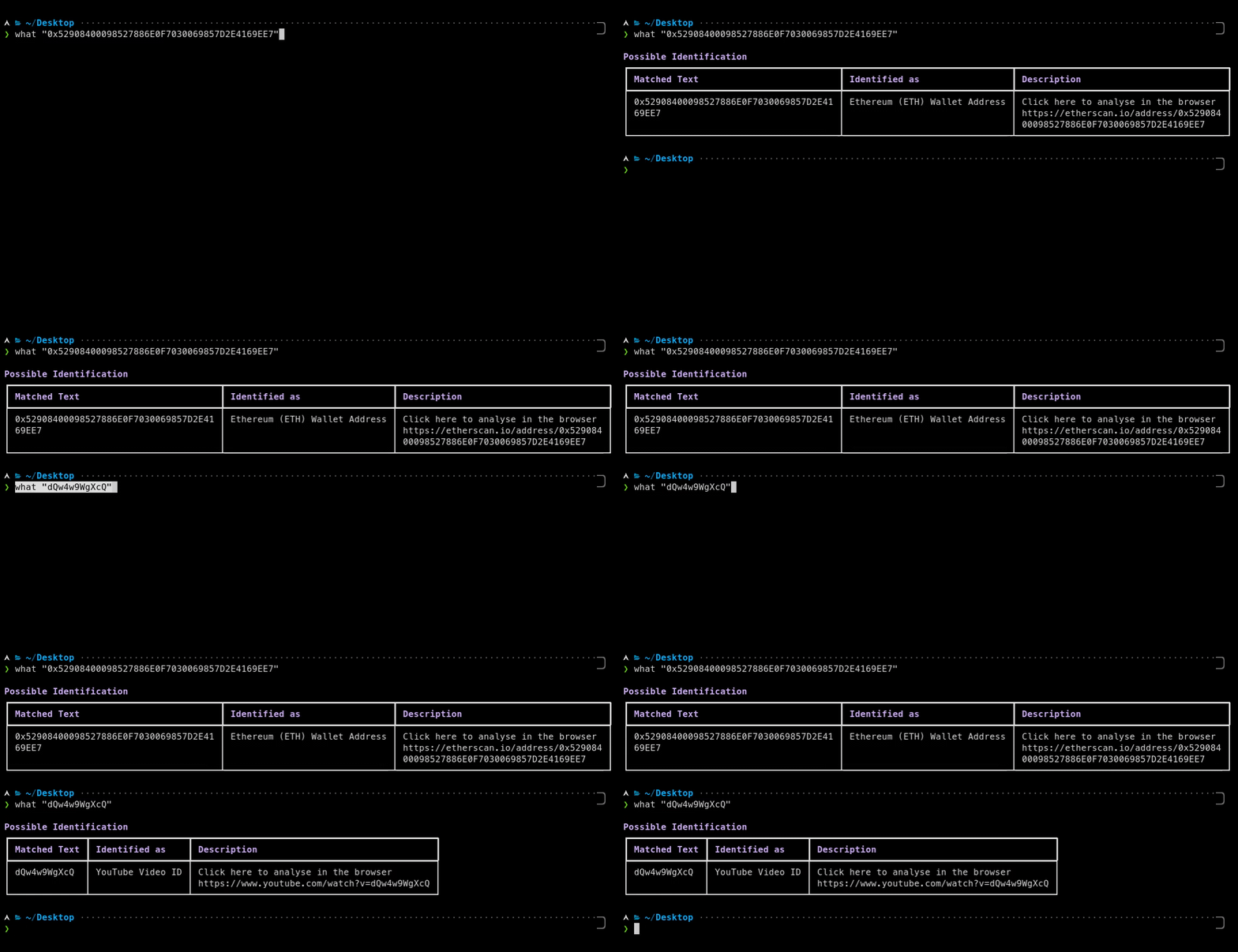
pywhat "0x52908400098527886E0F7030069857D2E4169EE7"
Identify what something is from text or files.
# Use via CDN
jsDelivrjsDelivr serves any public GitHub repository as a CDN with zero setup. Pick a version and a file to get a ready-to-paste link and snippet.
Command Glossary
Commands referenced in this DOCs, explained below.
brew install
View Details ▼
brew install
Install a Homebrew formula or cask.
brew install {{formula|cask}}
Install a formula/cask:
brew install {{[-s|--build-from-source]}} {{formula}}
Build and install a formula from source (dependencies will still be installed from bottles):
brew install {{[-n|--dry-run]}} {{formula|cask}}
Download the manifest, print what would be installed but don't actually install anything:
pip3
View Details ▼
pip3
This command is an alias of `pip`.
tldr pip
View documentation for the original command:
# Project Badges
-
 No description