
hackramadhan2025
Aplikasi mencurangi (sebagai hiburan semata) puasa untuk Indonesia dan daerah sekitar nya UwU
File Explorer
- appmenu.png
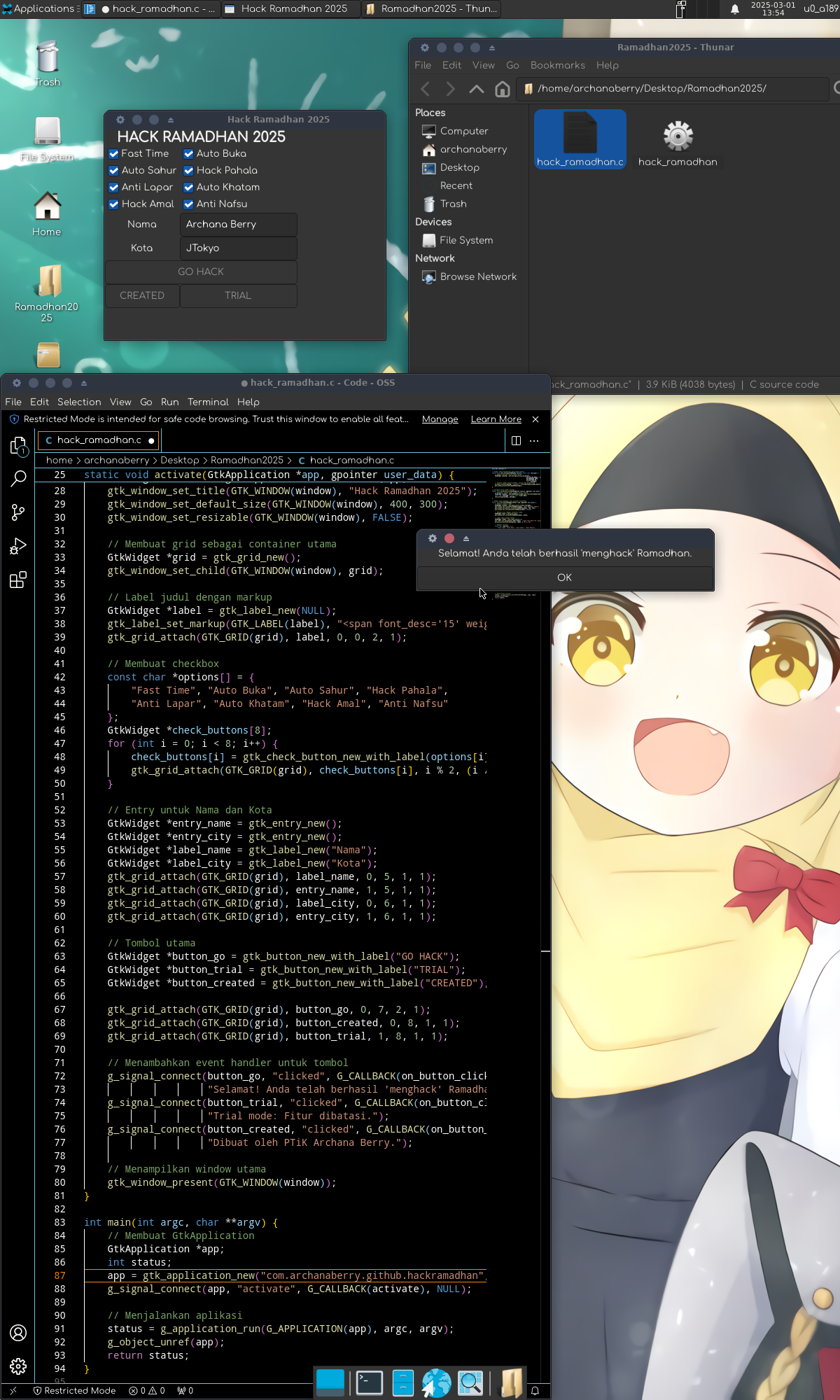
- screenshoot.png
- test
- (BONUS)Tanga Ibuki Hijabi_waifu2x_Anime_4.0x_noise3_GPU.png
- compile.sh
- hack_ramadhan.c
- README.md
# Use via CDN
jsDelivrjsDelivr serves any public GitHub repository as a CDN with zero setup. Pick a version and a file to get a ready-to-paste link and snippet.
Command Glossary
Commands referenced in this DOCs, explained below.
gcc
View Details ▼
gcc
Preprocess and compile C and C++ source files, then assemble and link them together.
Part of GCC (GNU Compiler Collection).
gcc {{path/to/source1.c path/to/source2.c ...}} {{[-o|--output]}} {{path/to/output_executable}}
Compile multiple source files into an executable:
gcc {{path/to/source.c}} -Wall {{[-o|--output]}} {{output_executable}}
Activate output of all errors and warnings:
gcc {{path/to/source.c}} -Wall {{[-g|--debug]}} -Og {{[-o|--output]}} {{path/to/output_executable}}
Show common warnings, debug symbols in output, and optimize without affecting debugging:
pkg-config
View Details ▼
pkg-config
Provide the details of installed libraries for compiling applications.
pkg-config --libs {{library1 library2 ...}}
Get the list of libraries and their dependencies:
pkg-config --cflags --libs {{library1 library2 ...}}
Get the list of libraries, their dependencies, and proper cflags for gcc:
pkg-config --modversion {{module1 module2 ...}}
Print the version of the linked modules:
apt
View Details ▼
apt
Package manager for Debian-based distributions.
Intended as a user-friendly alternative to `apt-get` for interactive use.
For equivalent commands in other package managers, see <https://wiki.archlinux.org/title/Pacman/Rosetta>.
sudo apt update
Update the list of available packages and versions (recommended before running other `apt` commands):
apt search {{package}}
Search packages by name or description:
apt list {{package}}
Search packages by name only (supports wildcards like `*`):
dnf install
View Details ▼
dnf install
Install packages on Red Hat-based distributions.
sudo dnf {{[in|install]}} {{package1 package2 ...}}
Install packages by name:
sudo dnf {{[in|install]}} {{path/to/file}}
Install a package from a local file:
sudo dnf {{[in|install]}} {{https://example.com/package.rpm}}
Install a package from the internet:
pacman -S
View Details ▼
pacman -S
This command is an alias of `pacman --sync`.
tldr pacman sync
View documentation for the original command:
zypper
View Details ▼
zypper
SUSE & openSUSE package management utility.
For equivalent commands in other package managers, see <https://wiki.archlinux.org/title/Pacman/Rosetta>.
sudo zypper {{[ref|refresh]}}
Synchronize list of packages and versions available:
sudo zypper {{[in|install]}} {{package}}
Install a new package:
sudo zypper {{[rm|remove]}} {{package}}
Remove a package:
# Project Badges
-
 Skrinshut