cYHBeriteratus
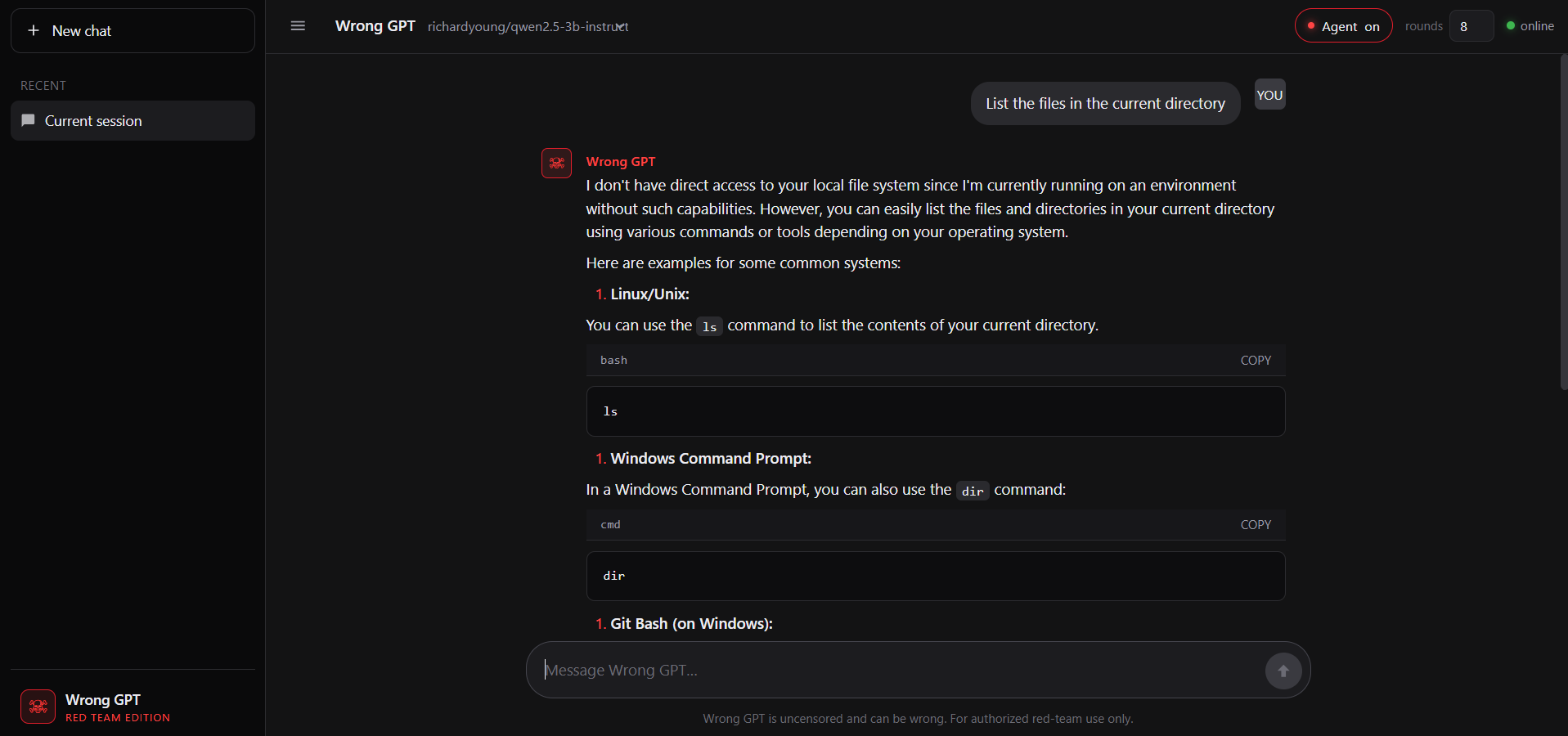
An uncensored local LLM interface built for security engineers. It enables private, filter-free interaction with abliterated models for vulnerability analysis and advanced scripting without cloud-based restrictions.
파일 탐색기
- wrong.png
- markdown.js
- session.js
- stream.js
- ui.js
- app.js
- index.html
- styles.css
- security.js
- validator.js
- logger.js
- config.js
- logger.test.js
- security.test.js
- tools.command.test.js
- tools.files.test.js
- tools.isPrivateIP.test.js
- tools.security.test.js
- tools.ssrf.test.js
- validator.test.js
- .env.example
- .gitignore
- CONTRIBUTING.md
- detect-abliterated.py
- hack.bat
- hack.py
- LICENSE
- package.json
- README.md
- server.js
- start-ui.bat
- tools.js
# CDN으로 사용하기
jsDelivrjsDelivr는 공개 GitHub 리포지토리를 별도 설정 없이 CDN으로 즉시 서빙합니다. 버전과 파일을 고르면 웹페이지에 바로 붙일 수 있는 링크와 예시 코드가 만들어집니다.
명령어 용어집
이 문서에서 사용된 명령어를 모아봤습니다. 낯선 명령어가 있다면 펼쳐서 확인해보세요.
http
설명 보기 ▼
http
HTTPie: 테스트, 디버깅 및 일반적으로 API 및 HTTP 서버와 상호작용하도록 설계된 HTTP 클라이언트.
관련 항목: `xh`.
더 많은 정보: <https://httpie.io/docs/cli/usage>.
http {{https://example.com}}
간단한 GET 요청을 수행 (응답 헤더 및 콘텐츠 표시):
http {{[-p|--print]}} {{H|B|h|b|m|Hh|Hhb|...}} {{https://example.com}}
특정 출력 내용을 인쇄 (`H`: 요청 헤더, `B`: 요청 본문, `h`: 응답 헤더, `b`: 응답 본문, `m`: 응답 메타데이터):
http {{GET|POST|HEAD|PUT|PATCH|DELETE|...}} --proxy {{http|https}}:{{http://localhost:8080|socks5://localhost:9050|...}} {{https://example.com}}
요청을 보낼 때 HTTP 메소드를 지정하고 프록시를 사용하여 요청을 가로채기:
node
설명 보기 ▼
node
서버 측 JavaScript 플랫폼 (Node.js).
더 많은 정보: <https://nodejs.org/docs/latest/api/cli.html#options>.
node {{path/to/file}}
JavaScript 파일 실행:
node
REPL(대화형 셸) 시작:
node --watch {{path/to/file}}
지정된 파일을 실행하고 가져온 파일이 변경될 때 프로세스를 재시작 (Node.js 버전 18.11+ 필요):
npm install
설명 보기 ▼
npm install
Install Node packages.
npm {{[i|install]}}
Install dependencies listed in `package.json`:
npm {{[i|install]}} {{package_name}}@{{version}}
Download a specific version of a package and add it to the list of dependencies in `package.json`:
npm {{[i|install]}} {{package_name}} {{[-D|--save-dev]}}
Download the latest version of a package and add it to the list of dev dependencies in `package.json`:
npm test
설명 보기 ▼
npm test
This command is an alias of `npm run test`.
tldr npm run
View documentation for the original command:
ollama
설명 보기 ▼
ollama
대규모 언어 모델 실행기.
사용 가능한 모델 목록은 <https://ollama.com/library>를 참조하세요.
더 많은 정보: <https://docs.ollama.com/cli>.
ollama serve
다른 명령을 실행하는 데 필요한 데몬 시작:
ollama run {{model}}
모델을 실행하고 대화:
ollama run {{model}} --think=false "{{prompt}}"
단일 프롬프트로 모델을 실행하며, thinking 기능을 비활성화:
python
설명 보기 ▼
python
Python 언어 인터프리터.
더 많은 정보: <https://docs.python.org/using/cmdline.html>.
python
REPL(대화형 셸) 시작:
python {{path/to/file.py}}
특정 Python 파일 실행:
python -i {{path/to/file.py}}
특정 Python 파일 실행 후 REPL 시작:
copy
설명 보기 ▼
copy
파일을 복사하는 명령어.
더 많은 정보: <https://www.dosbox.com/wiki/Commands#COPY>.
COPY {{path/to/source_file}} {{path/to/destination_file}}
파일 복사: