
OmniClip
Smart, clipboard management tool designed to streamline productivity.
File Explorer
- release.yml
- FUNDING.yml
- extensions.json
- omniclip.png
- omniclip1.png
- tauri.svg
- vite.svg
- react.svg
- App.css
- App.tsx
- main.tsx
- vite-env.d.ts
- default.json
- 128x128.png
- [email protected]
- 32x32.png
- icon.icns
- icon.ico
- icon.png
- Square107x107Logo.png
- Square142x142Logo.png
- Square150x150Logo.png
- Square284x284Logo.png
- Square30x30Logo.png
- Square310x310Logo.png
- Square44x44Logo.png
- Square71x71Logo.png
- Square89x89Logo.png
- StoreLogo.png
- lib.rs
- main.rs
- .gitignore
- build.rs
- Cargo.lock
- Cargo.toml
- tauri.conf.json
- .gitignore
- index.html
- LICENSE
- package-lock.json
- package.json
- README.md
- tsconfig.json
- tsconfig.node.json
- vite.config.ts
# Use via CDN
jsDelivrjsDelivr serves any public GitHub repository as a CDN with zero setup. Pick a version and a file to get a ready-to-paste link and snippet.
Command Glossary
Commands referenced in this DOCs, explained below.
git clone
View Details ▼
git clone
Clone an existing repository.
git clone {{remote_repository_location}} {{path/to/directory}}
Clone an existing repository into a new directory (the default directory is the repository name):
git clone --recursive {{remote_repository_location}}
Clone an existing repository and its submodules:
git clone {{[-n|--no-checkout]}} {{remote_repository_location}}
Clone only the `.git` directory of an existing repository:
npm install
View Details ▼
npm install
Install Node packages.
npm {{[i|install]}}
Install dependencies listed in `package.json`:
npm {{[i|install]}} {{package_name}}@{{version}}
Download a specific version of a package and add it to the list of dependencies in `package.json`:
npm {{[i|install]}} {{package_name}} {{[-D|--save-dev]}}
Download the latest version of a package and add it to the list of dev dependencies in `package.json`:
npm run
View Details ▼
npm run
Run a script.
npm run
List available scripts:
npm run {{script_name}}
Run a script:
npm run {{script_name}} -- {{argument}} {{--option}}
Pass arguments to a script:
npx
View Details ▼
npx
This command is an alias of `npm exec`.
tldr npm exec
View documentation for the original command:
# Project Badges
-
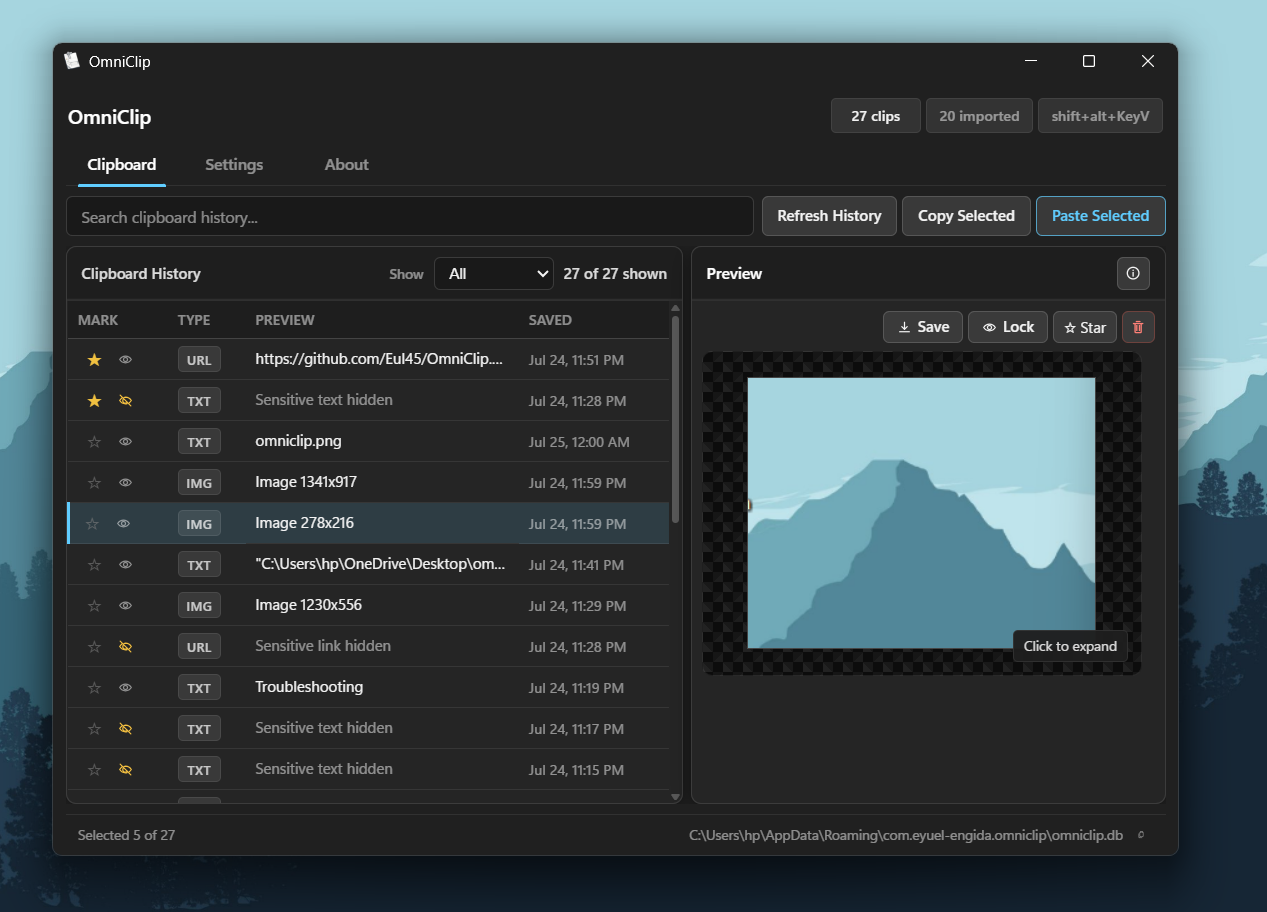 OmniClip App