
spring-boot-graalvm
This example project shows how to compile a Webflux based Spring Boot application into a Native App using GraalVM Native Image locally & on GitHub Actions with & without Docker
파일 탐색기
최종 버전 다운로드 (.zip)- native-image-compile.yml
- docker-hub-create-repo.png
- docker-mac-memory.png
- heroku-running-app.png
- javamagazin-092020-cover-small.jpg
- spring.start.io.png
- successfull-travis-compile.png
- travis-env-vars-heroku.png
- travis-parallel-jobs-direct-and-docker.png
- HelloHandler.java
- HelloRouter.java
- SpringBootHelloApplication.java
- HelloRouterTest.java
- .gitignore
- compile.sh
- Dockerfile
- heroku-release.sh
- LICENSE
- pom.xml
- README.md
- renovate.json
# 설치 가이드
1. 코드 내려받기
git clone https://github.com/jonashackt/spring-boot-graalvm
깃허브에서 프로젝트 코드 전체를 내 컴퓨터로 내려받습니다.
cd spring-boot-graalvm
방금 내려받은 프로젝트 폴더 안으로 이동합니다.
2. 공식 설치 스크립트
쉬움 추천curl -s "https://get.sdkman.io" | bash
공식 설치 스크립트를 다운로드해서 바로 실행합니다. 이 한 줄로 필요한 게 자동으로 설치됩니다.
설치 후 새 터미널을 열고, 프로그램의 버전 확인 명령(예: --version)으로 정상 설치됐는지 확인하세요.
이 레포의 README에 적힌 실제 명령어를 그대로 가져왔습니다.
3. Docker
쉬움사전 준비물
- Git GitHub에서 프로젝트 코드를 내려받으려면 필요합니다.
- Docker Desktop 컨테이너를 빌드하고 실행하려면 필요합니다. 설치 후 실행해서 백그라운드에 켜두세요.
When I first thought about a Docker usage, I wanted to pack this build into a `Dockerfile` also - but then I realized, that there's [no easy way of using Docker volumes at Docker build time](https://stackoverflow.com/questions/51086724/docker-build-using-volumes-at-build-time). But I really wanted to mount a Docker volume to my local Maven repository like `--volume "$HOME"/.m2:/root/.m2` to prevent the download of all the Spring Maven dependencies over and over again every time we start our Docker container.
Dockerfile을 기반으로 실행 가능한 이미지를 빌드합니다.
So I went with another way: We simply use a `docker run` command, that will compile our native Spring Boot app into our project's working directory (with `--volume $(pwd):/build`).
빌드된 이미지를 실제 컨테이너로 실행합니다.
Sometimes the `docker run` seems to take ages to complete - and then a `java.lang.OutOfMemoryError` is thrown into the log:
빌드된 이미지를 실제 컨테이너로 실행합니다.
Then it is very likely that your Docker Engine has not enough RAM it is able to use! In my Mac installation the default is only `2.00 GB`:
이 명령어를 터미널에 그대로 입력해 실행하세요.
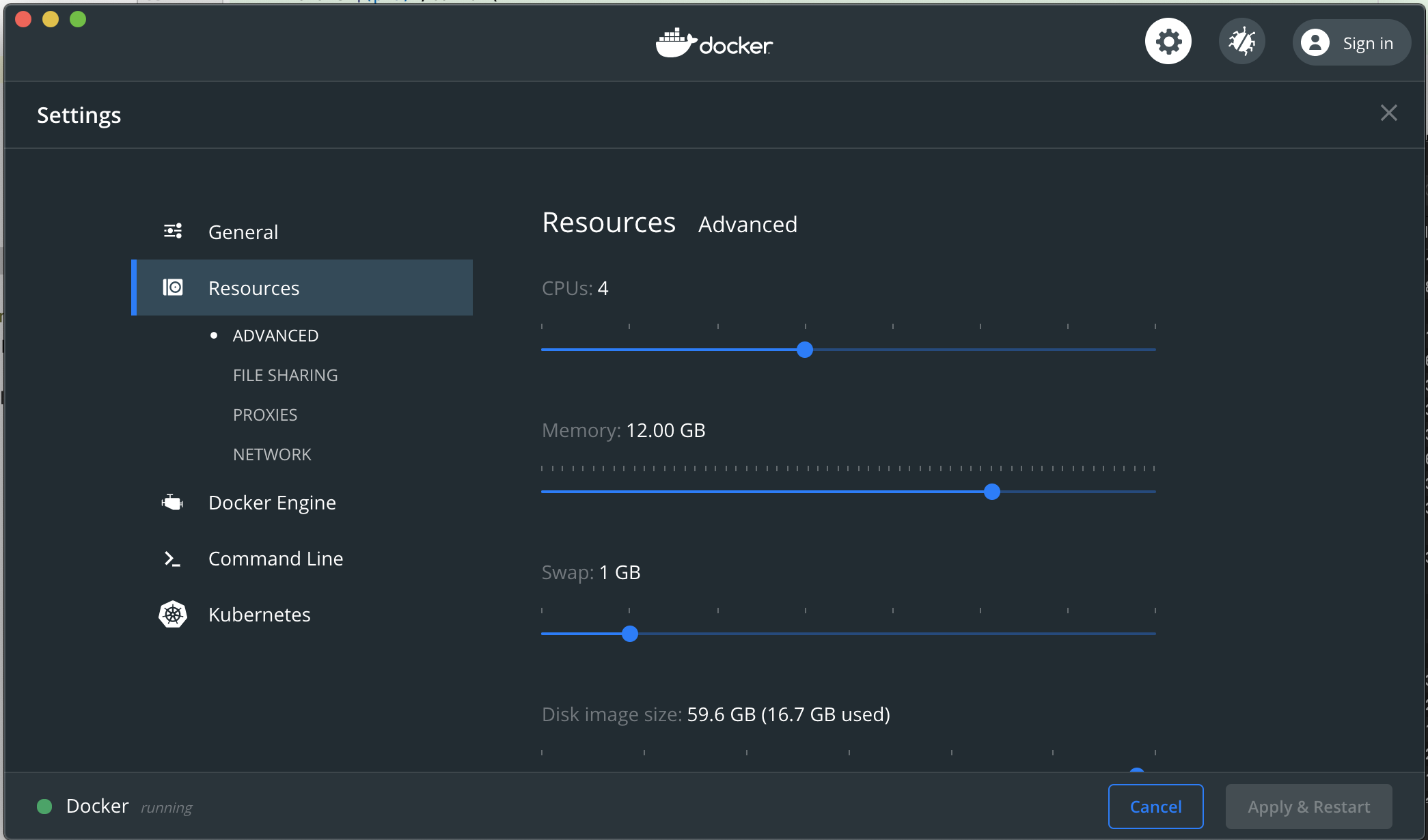
이 명령어를 터미널에 그대로 입력해 실행하세요.
터미널에 docker compose ps 를 입력해 컨테이너들이 Up 상태인지 확인하세요. README에 포트 번호가 적혀있다면 브라우저에서 http://localhost:포트번호 로 접속해보세요.
이 레포의 README에 적힌 실제 명령어를 그대로 가져왔습니다.
4. Maven (Java)
보통사전 준비물
- Git GitHub에서 프로젝트 코드를 내려받으려면 필요합니다.
- JDK (Java) Java 프로젝트를 빌드/실행하려면 필요합니다.
- Maven mvn 명령어를 쓰기 위한 빌드 도구입니다.
In the next section of the [compile.sh](compile.sh) script, we clean (aka remove) the `target` directory and build our Spring Boot App via a well known `mvn package`:
Maven으로 의존성 설치와 빌드를 진행합니다.
mvn --version
Maven으로 의존성 설치와 빌드를 진행합니다.
mvn -B clean package -P native --no-transfer-progress
Maven으로 의존성 설치와 빌드를 진행합니다.
RUN source "$HOME/.sdkman/bin/sdkman-init.sh" && mvn --version
Maven으로 의존성 설치와 빌드를 진행합니다.
graalvm-ce:20.3.0-java11-mvn-native-image ./compile.sh
Maven으로 의존성 설치와 빌드를 진행합니다.
BUILD SUCCESS 메시지가 뜨면 성공입니다. target/ 폴더에 결과물이 생성됩니다.
이 레포의 README에 적힌 실제 명령어를 그대로 가져왔습니다.
// repository documentation
Was this content helpful?
(0 ratings)